Add New Role
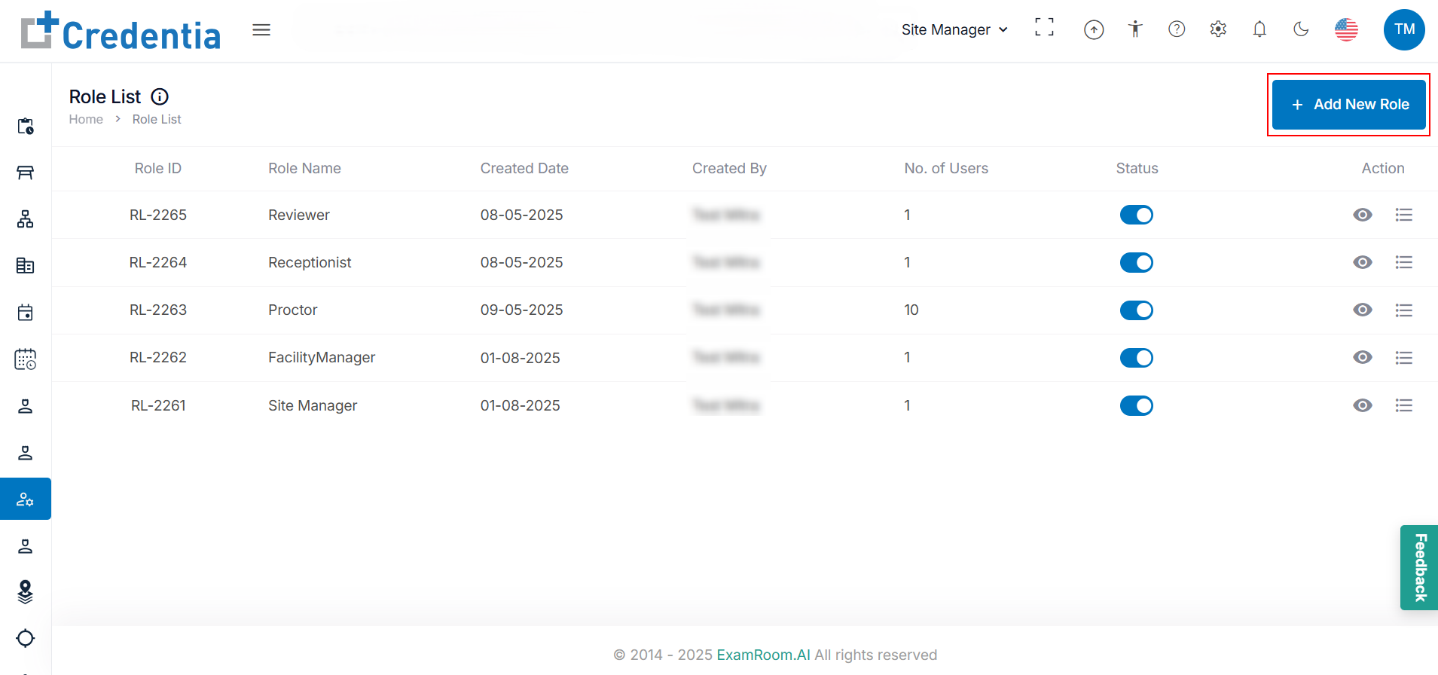
- Click + Add New Role to create a new role for the user and manage their permission.
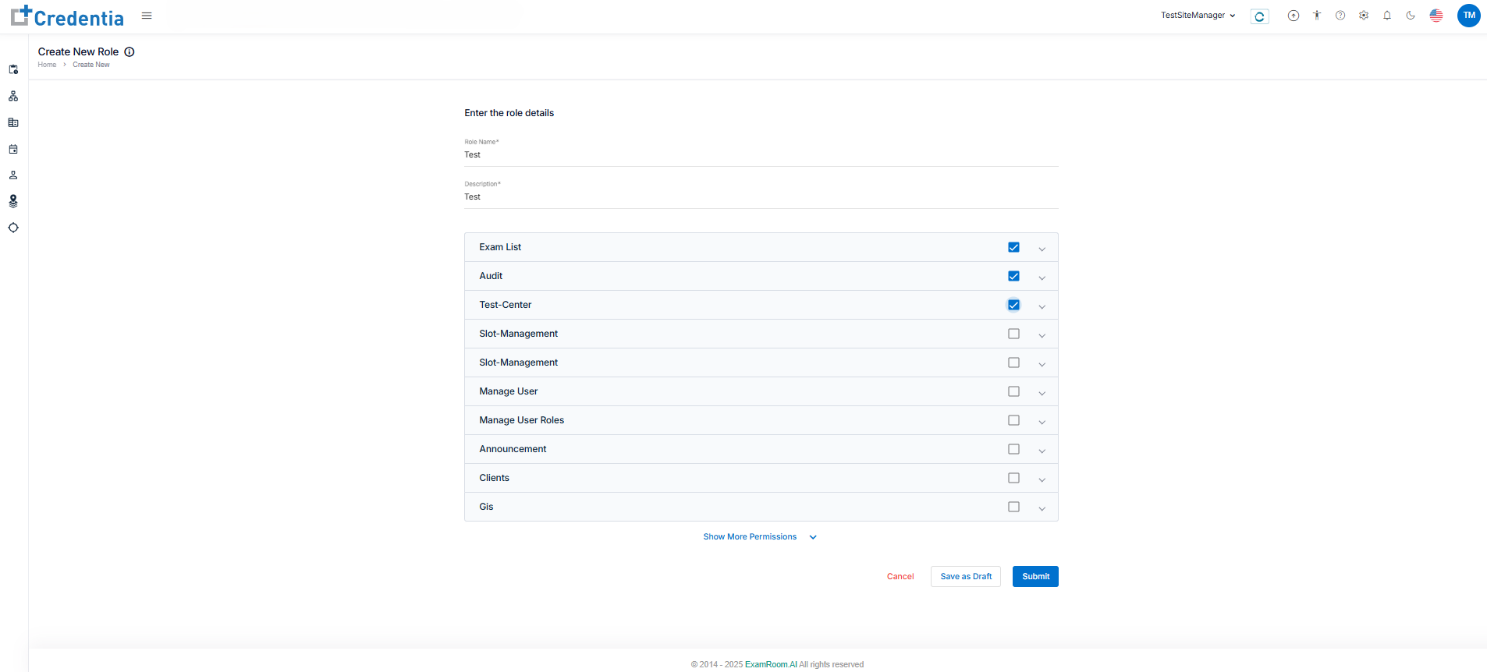
- In Enter the role details, fill out all the mandatory details.
- Role Name.
- Description.
- Check the necessary permissions from the list.
- Click Submit to create a new role. Click Save as Draft to save the role as a draft, which will be inactive, or click Cancel to return to the roles list without making any changes.