First login for the migrated Test Sites
If you are an existing test site registered with the Credentia legacy system, an email with a link is sent to your registered email address to complete the registration for migrating to the new Credentia TSM platform.
Follow the steps below to activate your account and log into the Credentia TSM Console:
- Open the registered email address and find the email with the Account Activation link.
Note: Please complete the process within 24 hours, as the link will expire after this time.
- Click Account Activation to change your password.
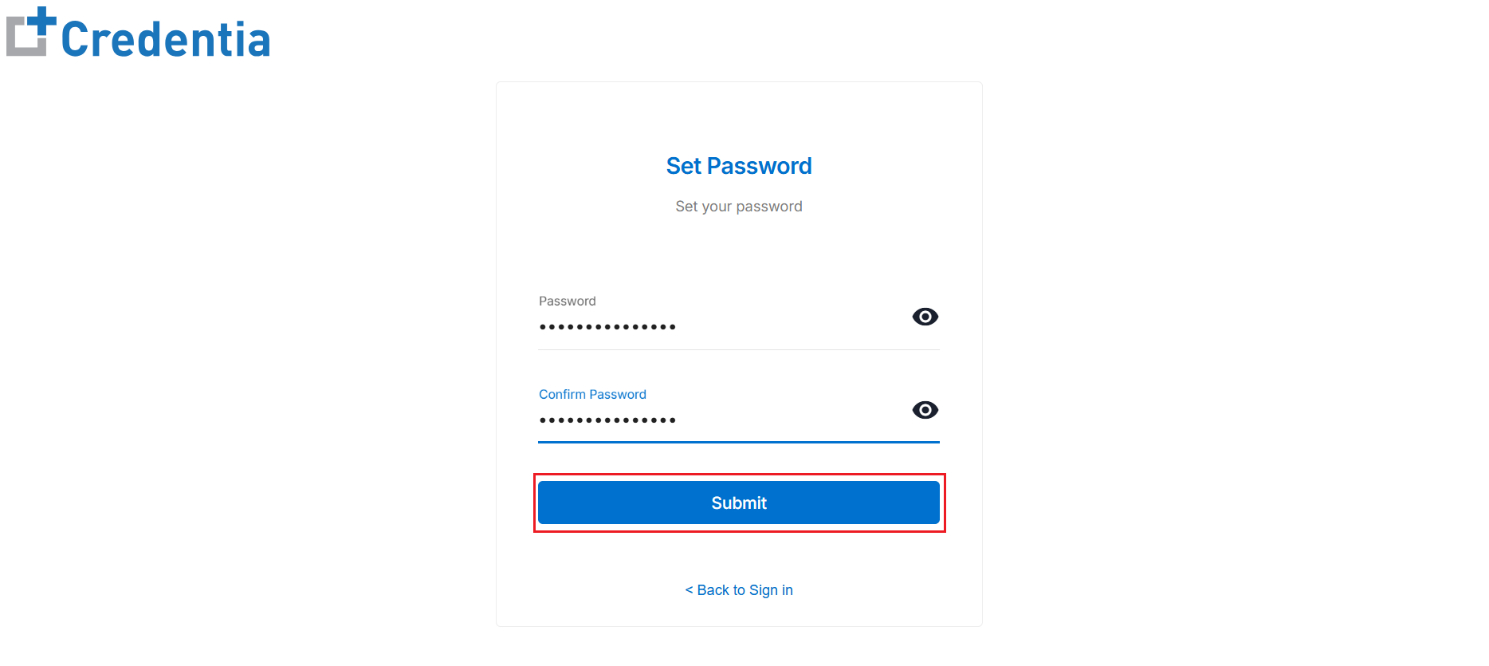
- The link will redirect you to the Set Password page to update your password.
- In the Set Password page, enter your new password in the Password field and retype the same in the Confirm Password field for verification.
Note: Please ensure the password meets the organization's security standards, which require a minimum of fourteen (14) characters that include at least one uppercase letter, one lowercase letter, one digit, and one special character.
- Click Submit to create and activate your account.
Note: Log in to your account using updated credentials after successfully updating the password.