Request to Open INF event to RTS Candidates
You can publish the INF event to the RTS candidates once the event is confirmed.
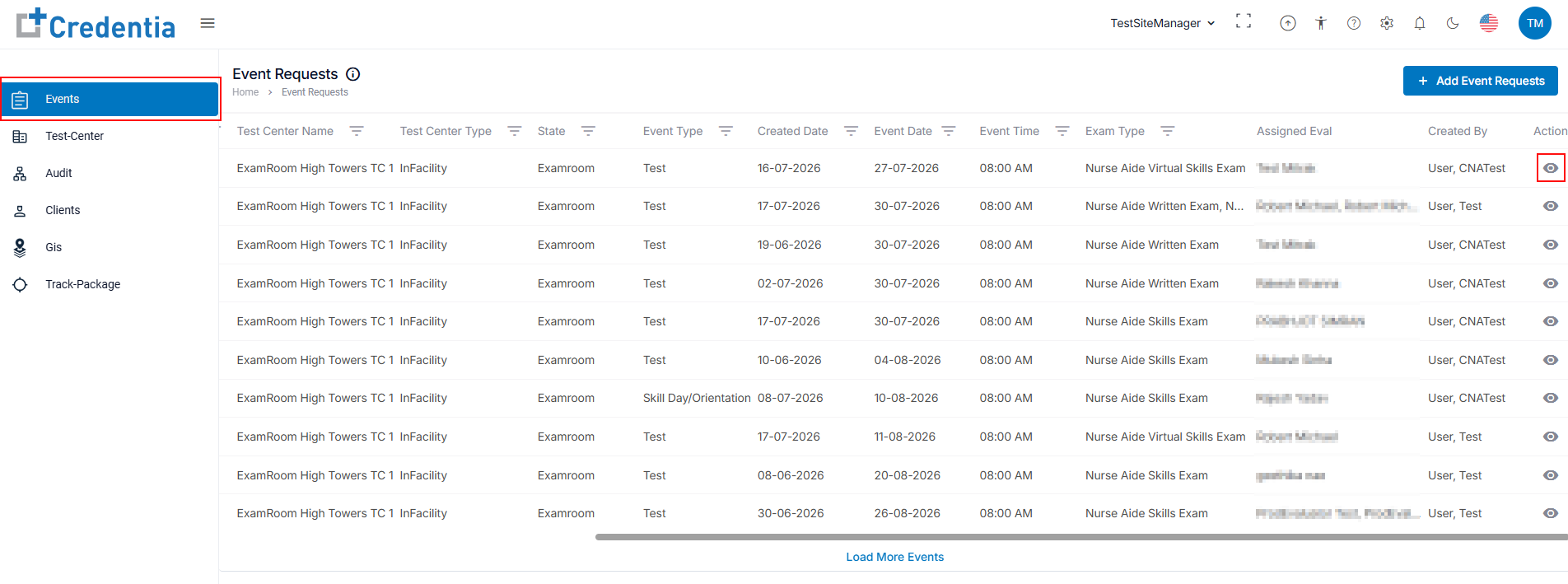
- After logging in, navigate to Events from the side menu.
- Select the upcoming INF event from the Events Request list that you want to publish for RTS candidates.
- Click the View icon under Action to view the selected event.
Note: Utilize the filter options to find or sort search events. Refer: Filter to Sort Event Requests.
- Click the View icon under Action to view the selected event.
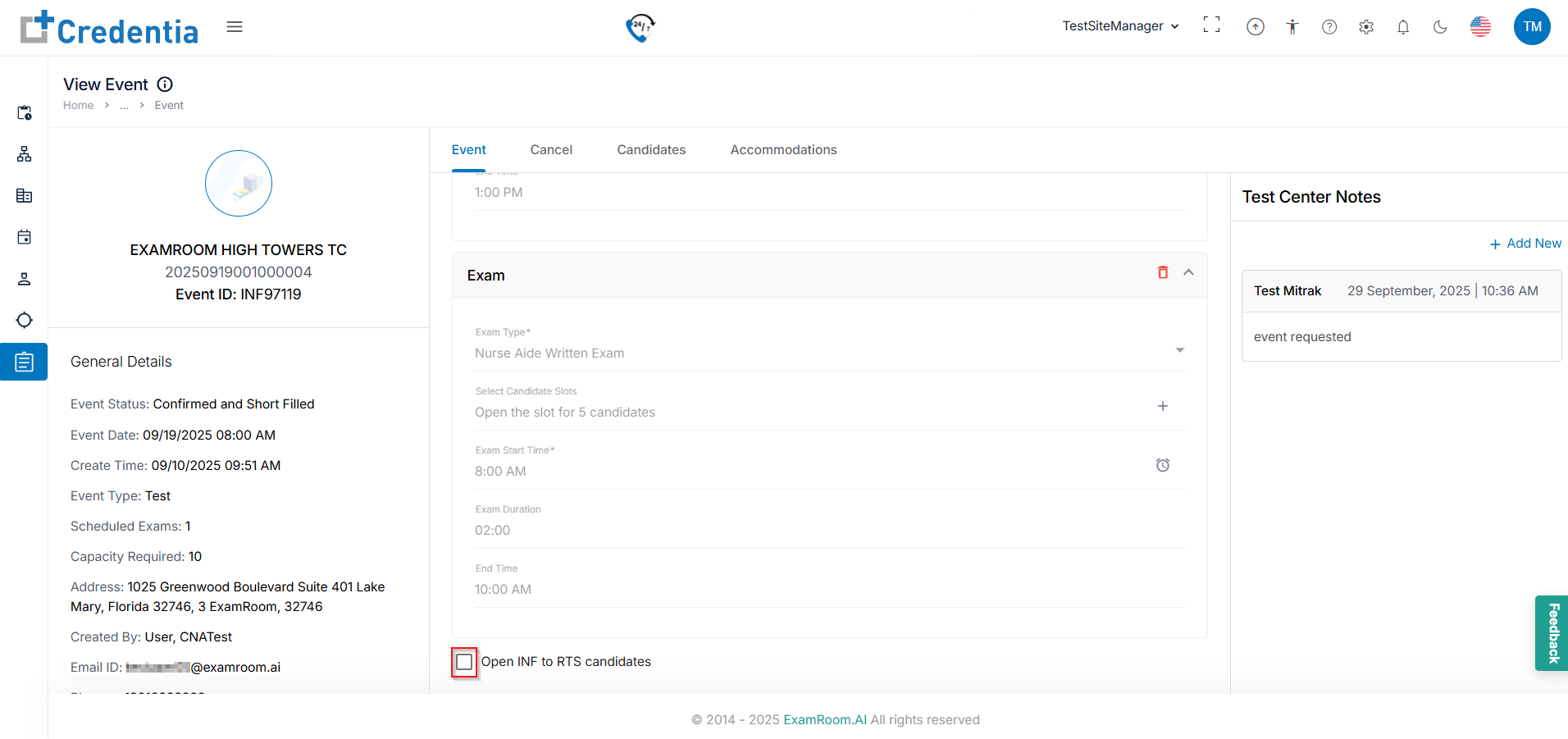
- On the View Event page, under the Event tab, scroll through the event details. At the bottom, you'll find options to open the INF event to RTS candidates.
- Click the Check Box to Open INF to RTS candidates.
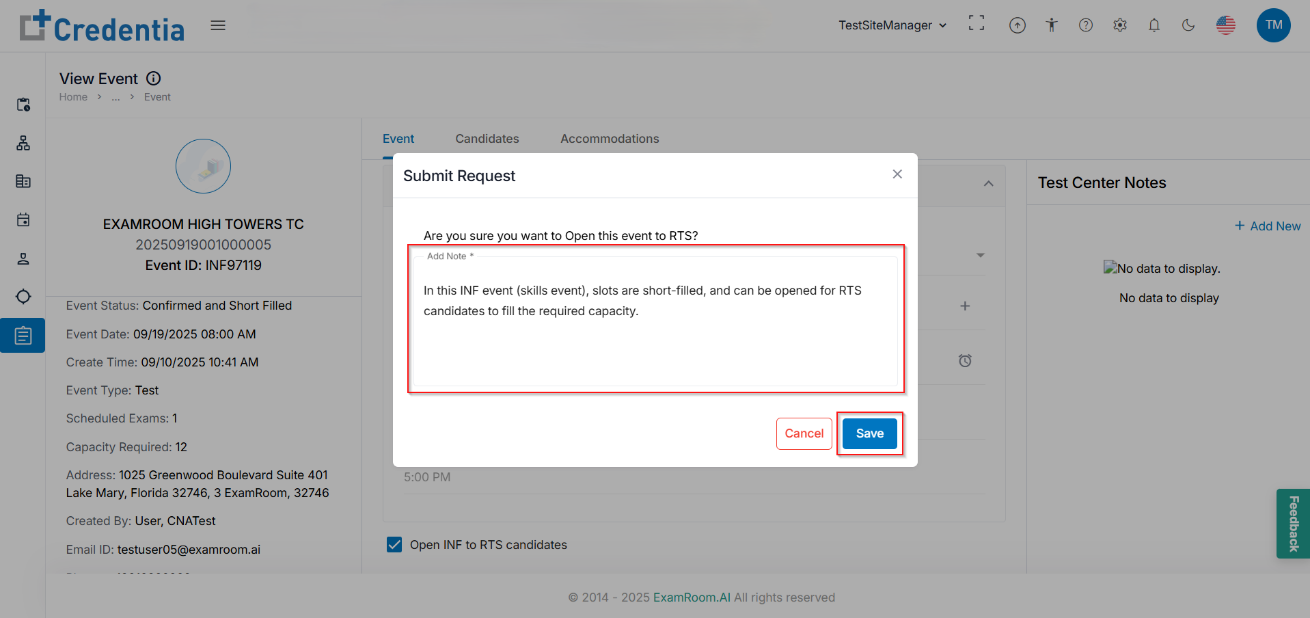
- A pop-up will appear for the request confirmation. Enter its details in the Add Note section and click Save. Ensure that you add the mandatory Add Note field to save and submit the request. Click Cancel to discard the submission.
- Click the Check Box to Open INF to RTS candidates.