Fill Audit Form
Once the application is approved, the next process is the Audit process.
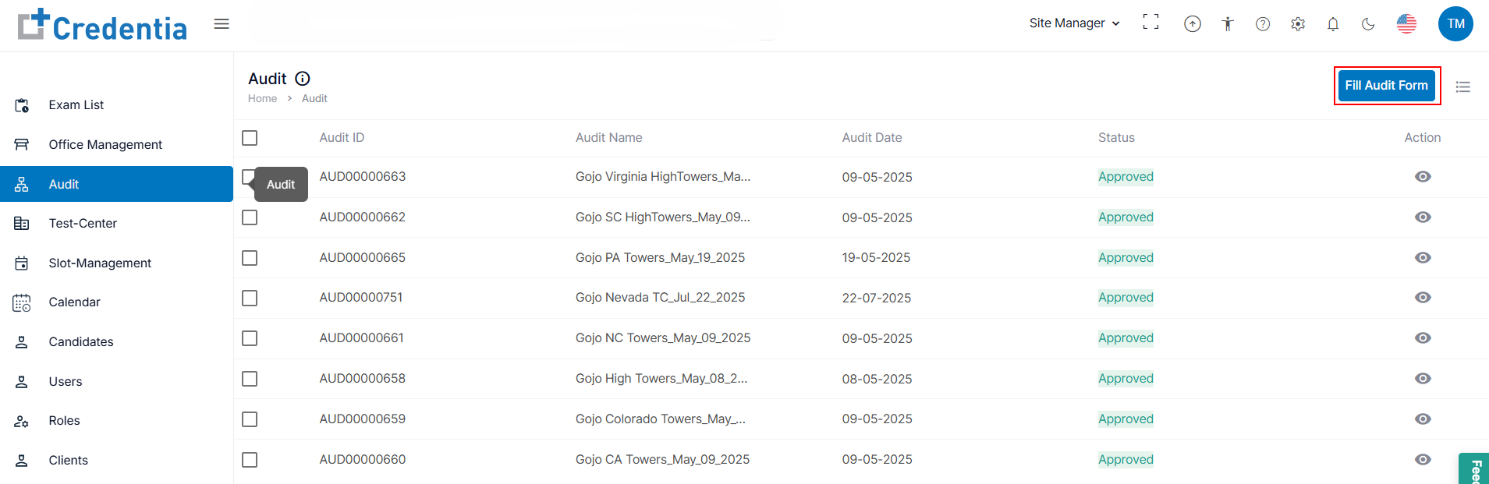
- All the approved audits are visible under the Audit tab.
- Click the Fill Audit Form button provided at the top right side of the page.
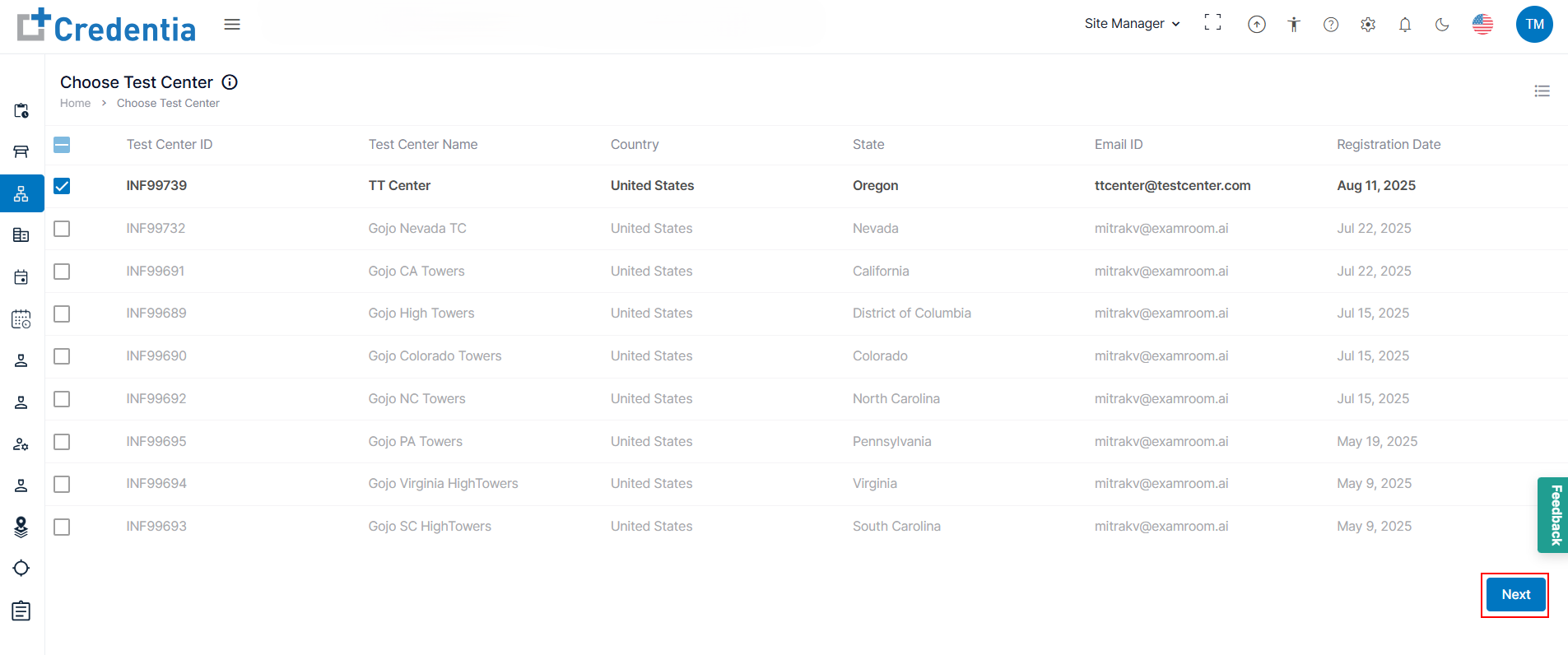
Note: Click the hamburger icon to customize the display sections. - All the approved applications are visible in the Choose Test Center tab in the Fill Audit Form.
- Check the box to which you want to proceed with the audit process for the approved test center application form and click Next to proceed.
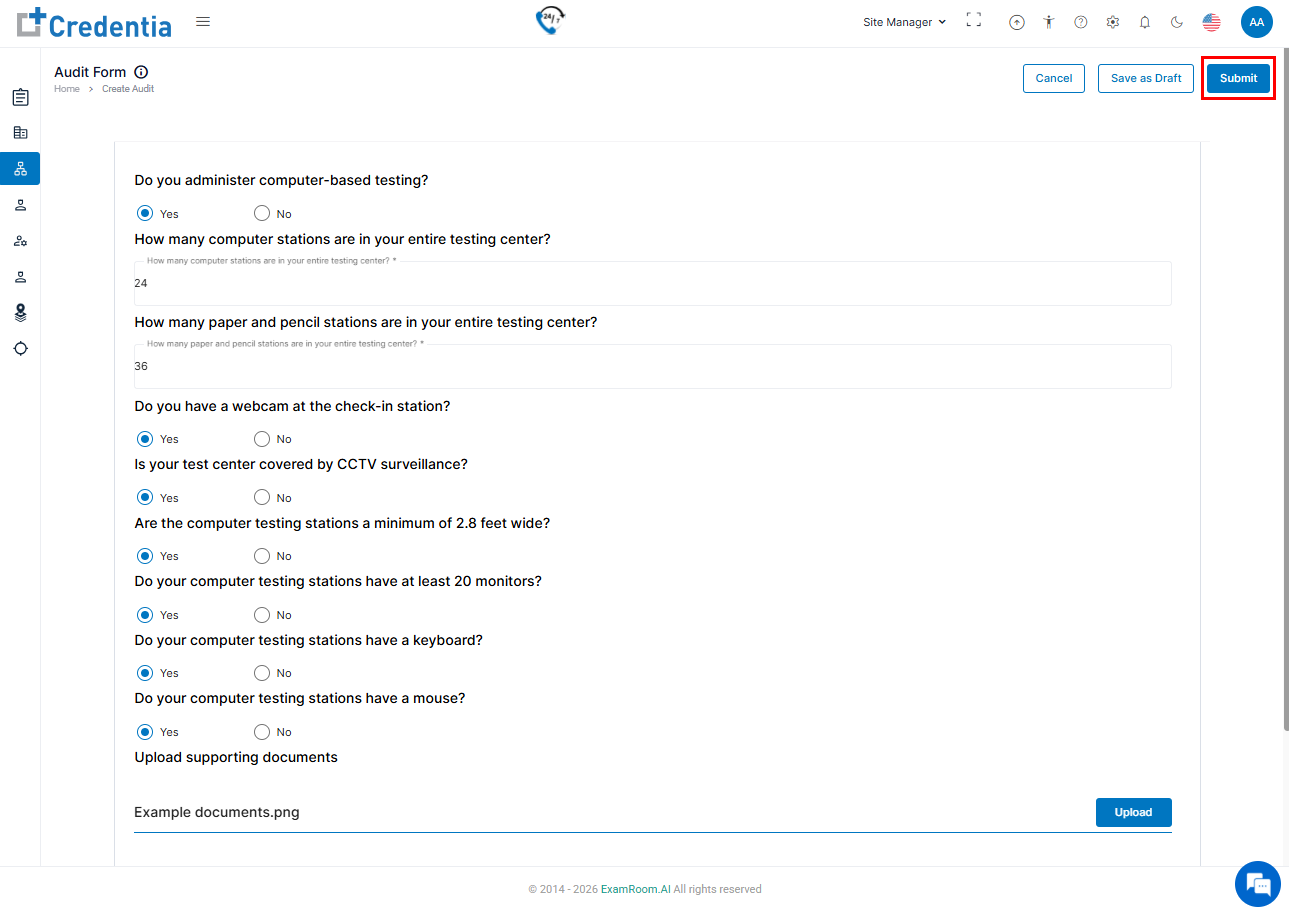
- In the Audit Form, fill out all the mandatory details and supporting documents.
- After filling in, click Submit to send the audit form for review, Save as Draft to save the application details, or Cancel to close the audit form.
- Once submitted, operations teams will review the application form and act (approve, reject, and request a change) accordingly.
Note: Once approved, the record will be visible in the Audit List.