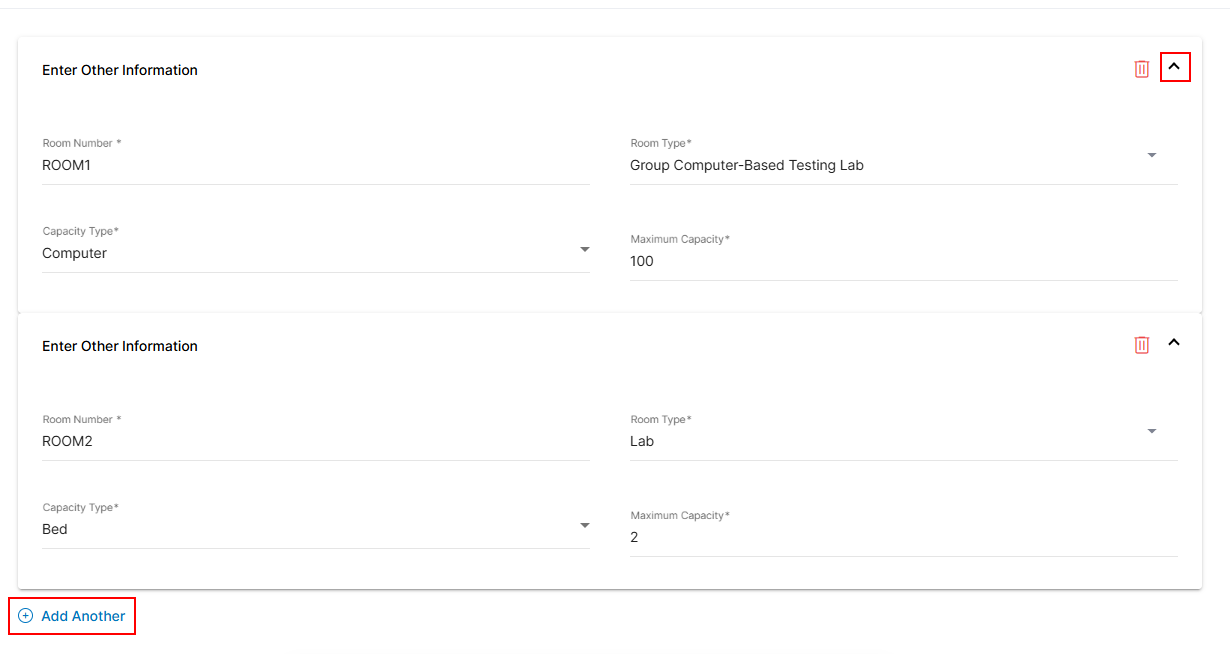
Edit or Update the Test Center Capacity
In the Enter details of the rooms and labs for testing section, specify the number of rooms and choose their room type. Select the available capacity type and input the maximum capacity per exam. Use the 'Add Another' option to include capacity details for different room types.
- Enter the number of rooms for testing in the Room Number field.
- Select a Room Type from the dropdown.
- Select Capacity Type from the dropdown.
- Click Add Another to add more testing room or lab capacity information.
Note: You can add additional capacity details using the Add Another option. - After updating, go to the last page and click Submit to finalize and Submit the required information changes. To learn more about updating or changing other details in the test center, follow the steps outlined in the Add Test Center section.