Manage User
View and Edit User
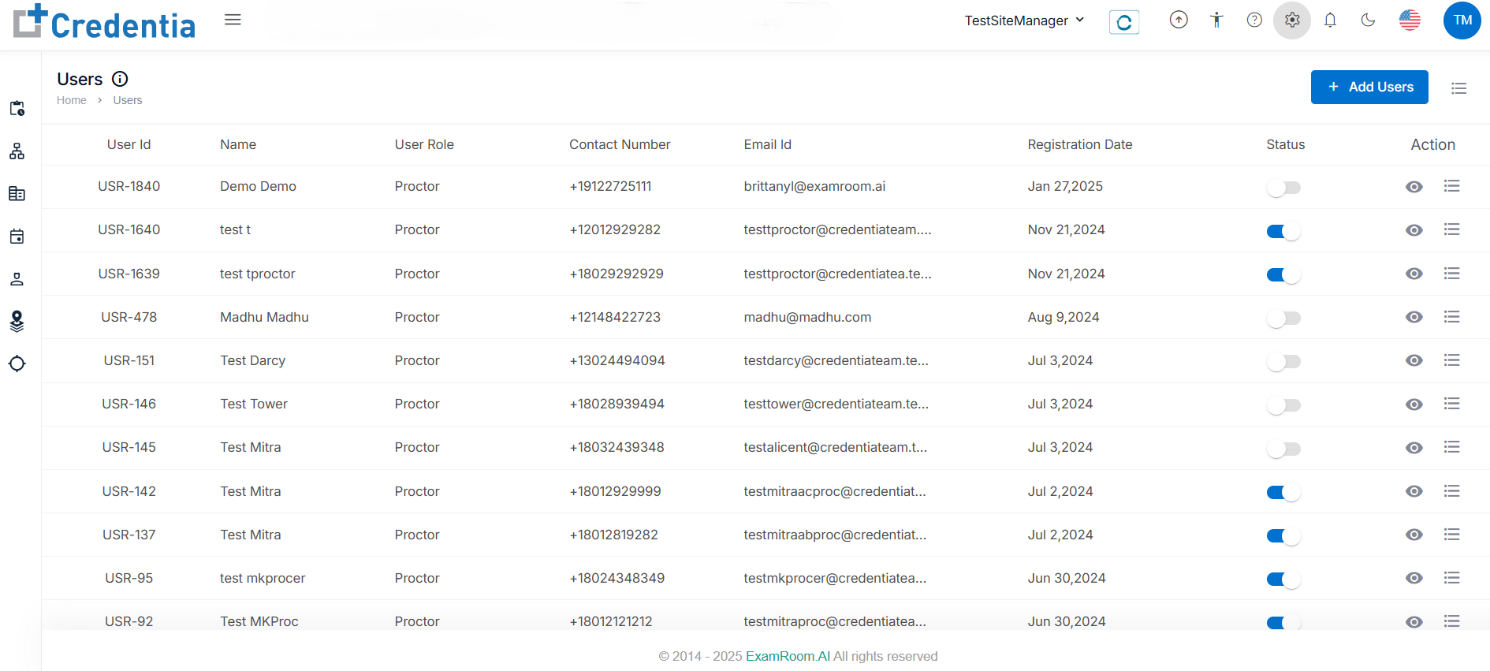
The Site Manager can add and manage users using Manage User in General settings in the Credentia TSM console.
Note: Click the hamburger icon beside add users to customize the display sections.
- The Site Manager can view and edit the user details when applicable.
- Click the View icon under the action tab to view the complete details.
- Click the Hamburger icon and click Edit User under the action to edit the user details.
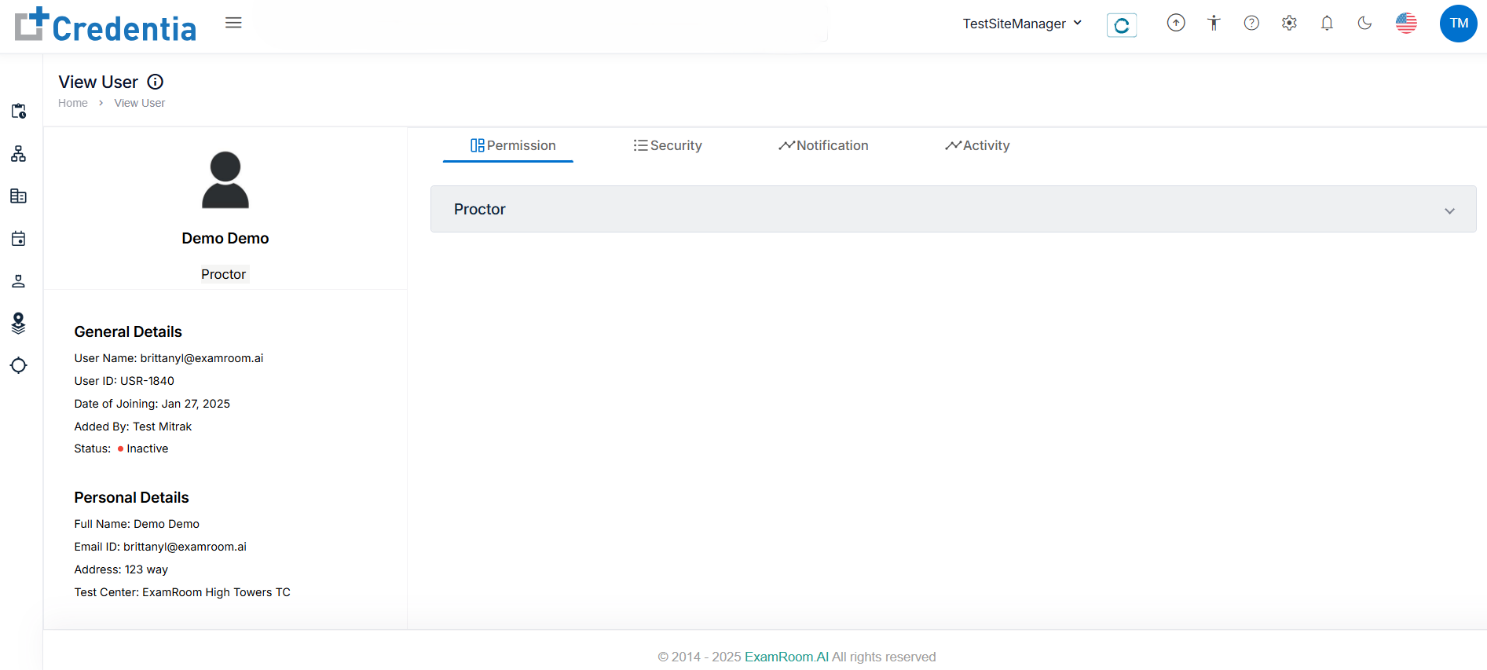
- Click the view icon under the action tab
- In View User section, you can view the in-depth user general, personal, and permission details.
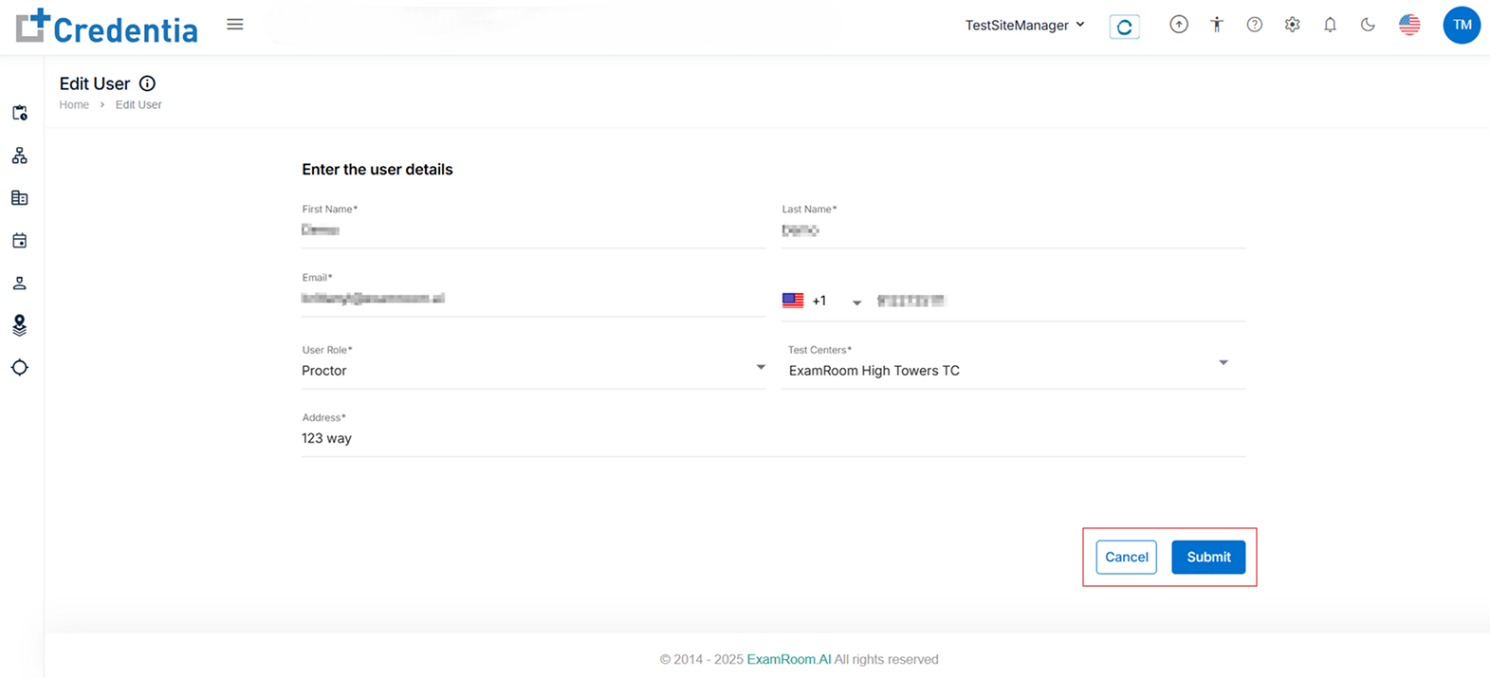
- Click the hamburger icon under the action to edit the user details.
- Click Submit to update the user details and Cancel to go back to users.